Facility Management

Facility Management Software & QR Code Access System

Run spaces, reservations, balances and access control on a single system.

We define your venue as buildings, floors and areas, with virtual areas where a service has no physical counterpart. Reservations, entry/exit control, member balances and the in-house POS all run on that model. Turnstile and door hardware sits inside the software, not beside it.

Runs in the cloudMember mobile appQR & turnstile integratedIn-house POSKVKK compliant

Setup

6–14 weeks

Access

QR, card and turnstile

Build

Modular, facility-specific

We’ll Call You

Fill in the form and our experts will reach out to you shortly.

What We Offer

The venue’s physical structure becomes the one model every process attaches to

We have worked with facilities for years, bringing every process into one system, from the member experience to the field team. The space model sits at the centre, and reservations, access hardware, member balances and on-site sales all attach to it, so occupancy, collections and usage are read from the same data.
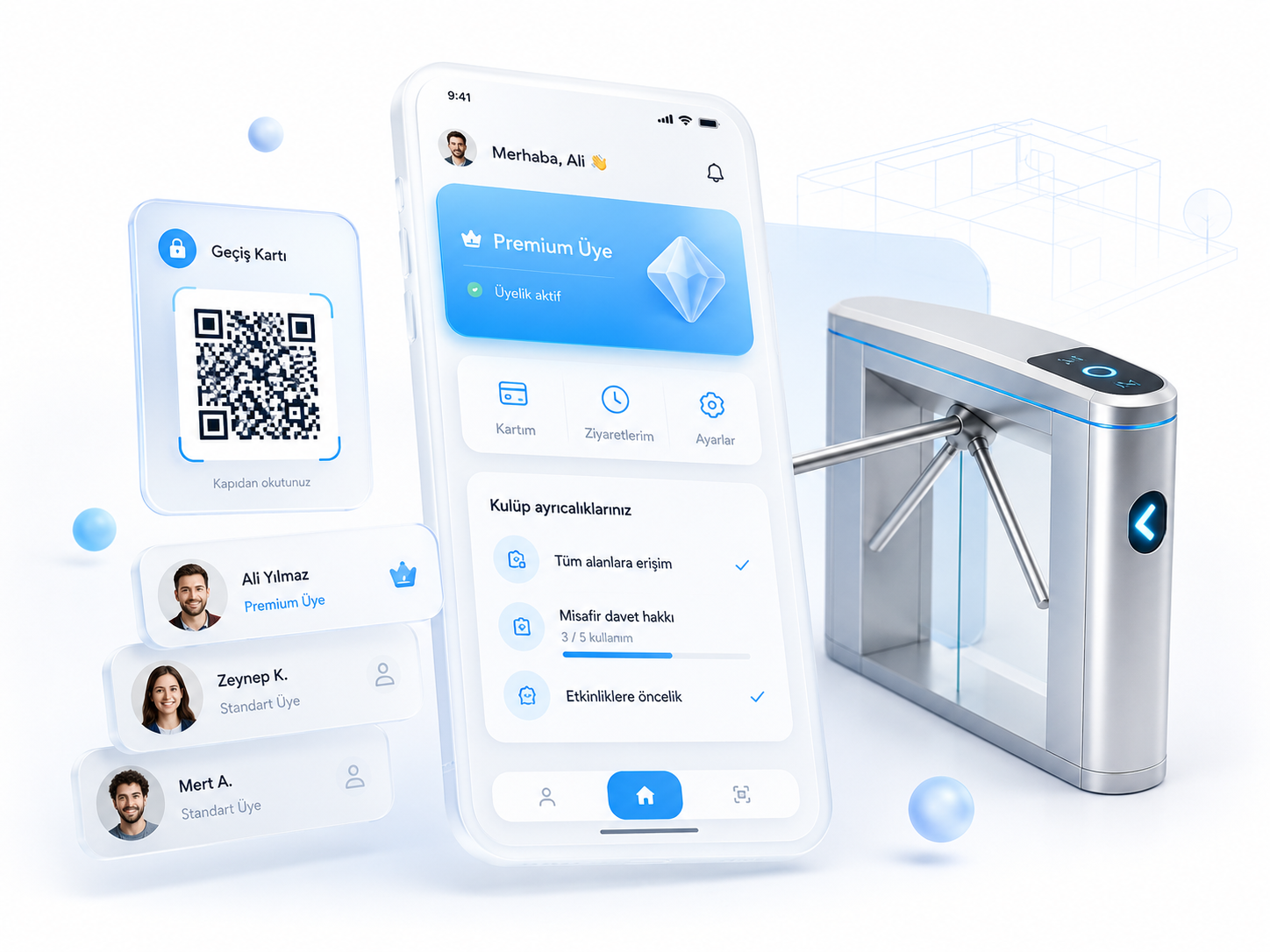
Facility, building and area model
Reservation and occupancy management
Virtual wallet and in-house POS
QR, turnstile and door integration
Facility management software interface

The Problem

Where running a facility on books, spreadsheets and separate hardware breaks down

01

Unlogged entry

No record of who entered when, or which area they used

02

Reservations written in a book

Area requests taken by phone and written into a separate book

03

Invisible occupancy

Which area is free and when can only be learned by walking over and looking

04

In-facility spending tied to cash

Kiosk, cafeteria and extra-service spending that never attaches to the membership record

05

Scattered collections

Payments collected at different points and reconciled only afterwards

06

Hardware left outside the software

Turnstiles and readers running as a separate system beside the software

If this sounds familiar, let’s talk

Let’s go through your areas, your reservation and access flow together, and pin down in the first call which step moves into the system.

Screens

What the system looks like in use

These flows at work: the INOGARDEN case study

Space model & reservations

The facility’s physical structure has an exact counterpart in the system

Facility, building, floor and area are defined as a tree, and halls, courts, pitches, studios and pools are its leaves. Services with no physical counterpart, such as an online class or a consultation, are modelled as virtual areas. Reservations, permissions and pricing all attach to that model.

Space & Facility Model8 records
Main Facility4 buildingsFacility
Block A3 floorsBuilding
Fitness Hall60 peopleArea
Group Class Studio24 peopleArea
Pool Building2 floorsBuilding
Semi-Olympic Pool8 lanesArea
Online Class Room40 attendeesVirtual area
Nutrition ConsultingBy appointmentVirtual area
Services with no physical counterpart are defined as virtual areas, and reservations and permissions attach to the same model.
Member Wallet · Elif A.Mobile app

Available balance

₺340,00

Top UpPay with QR

Recent activity

Cafeteria · In-house POS14:05−₺85,00
Top-up · Virtual POS12:40+₺500,00
Tennis Court 1 · 19:00Yesterday−₺240,00
Locker useYesterday−₺15,00
Top-ups happen online and spending draws on the balance inside the facility, and both sit on the same member record.

Virtual wallet & in-house POS

Members top up their account and spend from that balance inside the facility

Top-ups happen in the mobile app through online payment. Cafeteria purchases, extra services and area usage are charged to that same balance at the in-house POS. Because both the top-up and the spend sit on one member record, end-of-day reconciliation stops being a separate job.

Entry & access control

Turnstiles and doors work inside the software, not beside it

When a member scans the QR code in the app or taps their card, the system checks membership, package and time rules at the moment of passage. Every attempt, granted or denied, is logged with its reason, and the entry/exit record feeds occupancy and reporting.

Access LogLive
MemberPointDirectionResult
Elif A.Main Entrance · Turnstile 2In
Granted
Mert K.Pool DoorIn
Denied · not in package
Zeynep D.Main Entrance · Turnstile 1Out
Granted
Guest · QRMain Entrance · Turnstile 2In
Granted · day pass
Ahmet B.Main Entrance · Turnstile 1In
Denied · membership expired
Turnstiles and doors query membership and package status at the moment of passage, and every attempt is logged with its result.

Who It Is For

The system is built around how your facility actually runs

No two venues expect the same thing from software: how areas are divided, how bookings work, who may pass which door and how members spend on site all differ by venue type. The setups below show where those differences appear.

Sports Facility & Gym

Membership packages, class schedules and turnstile entry run together, with trainer and hall planning read from one calendar.

Membership packagesClass scheduleTurnstile entry

Social Facility & Club

Member and family records, guest entry and in-facility spending gather on one record, and the monthly statement comes from it.

Family membershipGuest entryIn-facility spending

Pool & Aquatic Centre

Session capacity, lanes and locker use attach to the space model, and capacity is checked at the point of entry.

Session capacityLane planningLocker use

Pitch & Court Operations

Hourly bookings, online payment and recurring slots for regulars are managed on the same calendar.

Hourly bookingOnline paymentRecurring slots

Campus & Residential Common Areas

Resident or student cards, common-area booking and permission-based door access run from a single permission model.

Resident/student cardCommon-area bookingPermission-based doors

Events & Themed Venues

Day passes, capacity and QR entry together, with area-level occupancy tracked through the day.

Day passesCapacity limitsQR entry

Modules

Modules that cover the full facility operation

Twelve modules run on one system, and we set the rollout order to match your facility.

01

Space & Facility Model

A facility, building, floor and area hierarchy, plus virtual areas for services with no physical counterpart.

02

Reservation & Appointment Management

Area-level calendars, capacity control, recurring slots and automated reminder notifications.

03

Member Registration & Profile Management

Registration online or on site, family and corporate memberships, KVKK-compliant data collection and consent.

04

Package & Subscription Management

Monthly, annual or usage-based packages with auto-renewal, freezing and per-member pricing.

05

Virtual Wallet & Balance

A wallet where the balance a member loads is spent inside the facility: top-ups, spending and refunds in one list.

06

In-house POS & On-site Sales

Cafeteria, kiosk and extra-service sales: the member is identified by QR and charged to their balance or by card.

07

QR Access & Entry Control

Entry by QR in the app or a membership card, with membership, package and time rules checked at the moment of passage.

08

Turnstile & Door Hardware Integration

Turnstiles, card readers and door controllers work as part of the software, and every passage is logged.

09

Member Mobile App

Reservations, top-ups, QR entry and notifications on the member’s own phone.

10

Maintenance, Incidents & Team Management

Periodic maintenance plans per area and asset, incident reports and field-team task tracking.

11

Notification & Communication Management

Reservation reminders, balance alerts and announcements by push, SMS and email.

12

Reporting & Management Panel

Area occupancy, member usage, access and revenue breakdowns, with collections and spending on one screen.

Let's talk about the right solution for you

We listen to your areas, your existing access hardware and your reservation flow, then map out a plan that can go live.

Comparison

Running on books and spreadsheets vs. facility management software

CriterionBooks / Spreadsheets / Separate hardwareFacility management software
ReservationsTaken by phone, written in a bookPer area, online and instant
OccupancyLearned by walking over and lookingVisible live, area by area
Entry controlDepends on staff recognising the memberLogged passage by QR or card
In-facility spendingCash, detached from the memberFrom the member balance, on the record
CollectionsCollected at different pointsOn one record, tied to the member
ReportingAssembled by hand at month endLive, broken down by member, area and revenue

Works with the hardware already on site

Turnstiles and barriersQR and barcode readersCard access and door controllersIn-house POS terminalsLocker and area locksKiosks and ticket points

Membership, package and permission data flows from the software to the hardware; passage, sale and usage records flow back. Which device connects over which protocol is settled in the first analysis, and the integration is verified in a test environment first.

Works with the hardware you already haveVerified in a test environmentPhased rollout

Your own venue brand, your own app

The management panel runs on your own domain and the member app is published with your logo and colours. To a member it is not a piece of software; it is your venue’s own app.


Your own domain and SSL
A member app on iOS and Android
Hosted in Türkiye, KVKK compliant

Top-up and collection infrastructures

iyzicoPayTRSipayGaranti BBVATürkiye İş BankasıYapı Kredi

Members top up in the app by online payment, and spending inside the facility is deducted from that balance at the in-house POS. Both movements are written to the membership record and the revenue report at the same time.

How the rollout runs

01

Site survey and analysis

We map your space model, access points and existing hardware on site, and the module order is set here.

02

Setup and hardware integration

Core modules are configured for your venue, and turnstile and reader connections are verified in a test environment.

03

Training and go-live

Staff training and member onboarding run together, and the system is validated in real use.

FAQ

Frequently Asked Questions

If your question is not here, one of our solution consultants will get back to you shortly.

Send us your question

Facility management software lets sports facilities, social clubs and similar venues run space management, reservations, memberships, entry/exit control, on-site collections and maintenance in one system. The physical structure of the facility is defined as a space model, and every other process attaches to it.

Facility, building, floor and area are defined as a hierarchy, and halls, courts, pitches, studios, pools and locker zones are part of it. Services with no physical counterpart, such as an online class, remote consulting or a capacity-limited event, are defined as virtual areas, so reservation, capacity and permission rules work the same way for both types.

The member scans the QR code in the app or their membership card at the reader. The system checks whether the membership is active, whether the package covers that area and whether the time rule allows it, all at the moment of passage. Every granted or denied passage is logged with its reason.

We build integrations with common turnstile, card access and door-control hardware. Which device connects over which protocol is settled during the first analysis; the integration is verified in a test environment before it goes live on site.

Members top up their account by online payment in the app or on site. That balance is then used for reservations, cafeteria purchases and extra services. Every top-up, spend and refund is visible both on the member’s own screen and in the management panel.

The virtual POS is the bank infrastructure a member uses to top up online. The in-house POS is the point of sale inside the facility: at the cafeteria, kiosk or reception the member is identified by QR and the amount is deducted from their balance. Both run on the same member record, so what was loaded and what was spent are tracked in one place.

Yes. An iOS and Android app for members is included by default. Members handle reservations, top-ups, QR entry and notifications through it, and the app is published with your brand and colours.

Yes. Slot length, capacity, cancellation windows, recurring bookings and package coverage are defined per area, following your own rules. The system is not an off-the-shelf package but a structure built around how the facility works.

Depending on facility size, module selection and hardware integration scope, it goes live in 6–14 weeks. A needs analysis comes first, and the rollout order is agreed together.

Related Services

The services that build this system

Let’s bring your facility onto one system

Let’s go through your areas, your reservation and access flow together, and tell you exactly which steps move into the system and what will work with the hardware you already have.