Project Context
Three questions, three separate ledgers
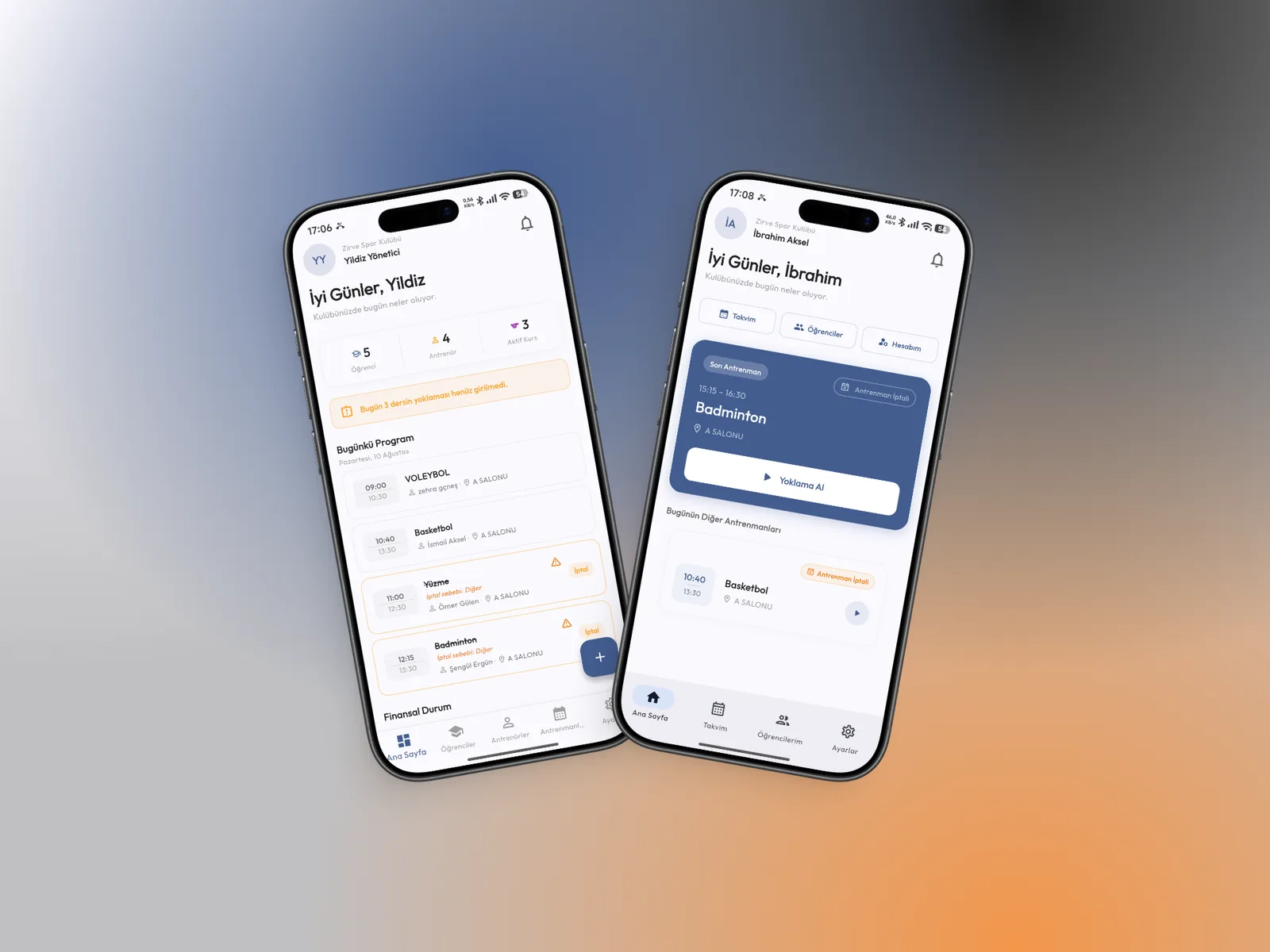
The daily work of a sports school comes down to three questions: which sessions are on today and who turned up, whose payment is missing, and who is enrolled in which course. In most schools the answers live in three separate places: attendance on the coach’s phone, collections in a spreadsheet, enrolment in a notebook. Nobody sees the same picture.
We built Kursigo as a mobile app that brings those three questions onto one set of data. Managers and coaches look at the same record, each seeing as much as their job requires. It was designed to work not at a desk but where the work actually happens: at the side of the hall, on a phone.
Scope
What the project covered
Screens
The app follows the order of the work
Courses & Training
Everything about a course under one record
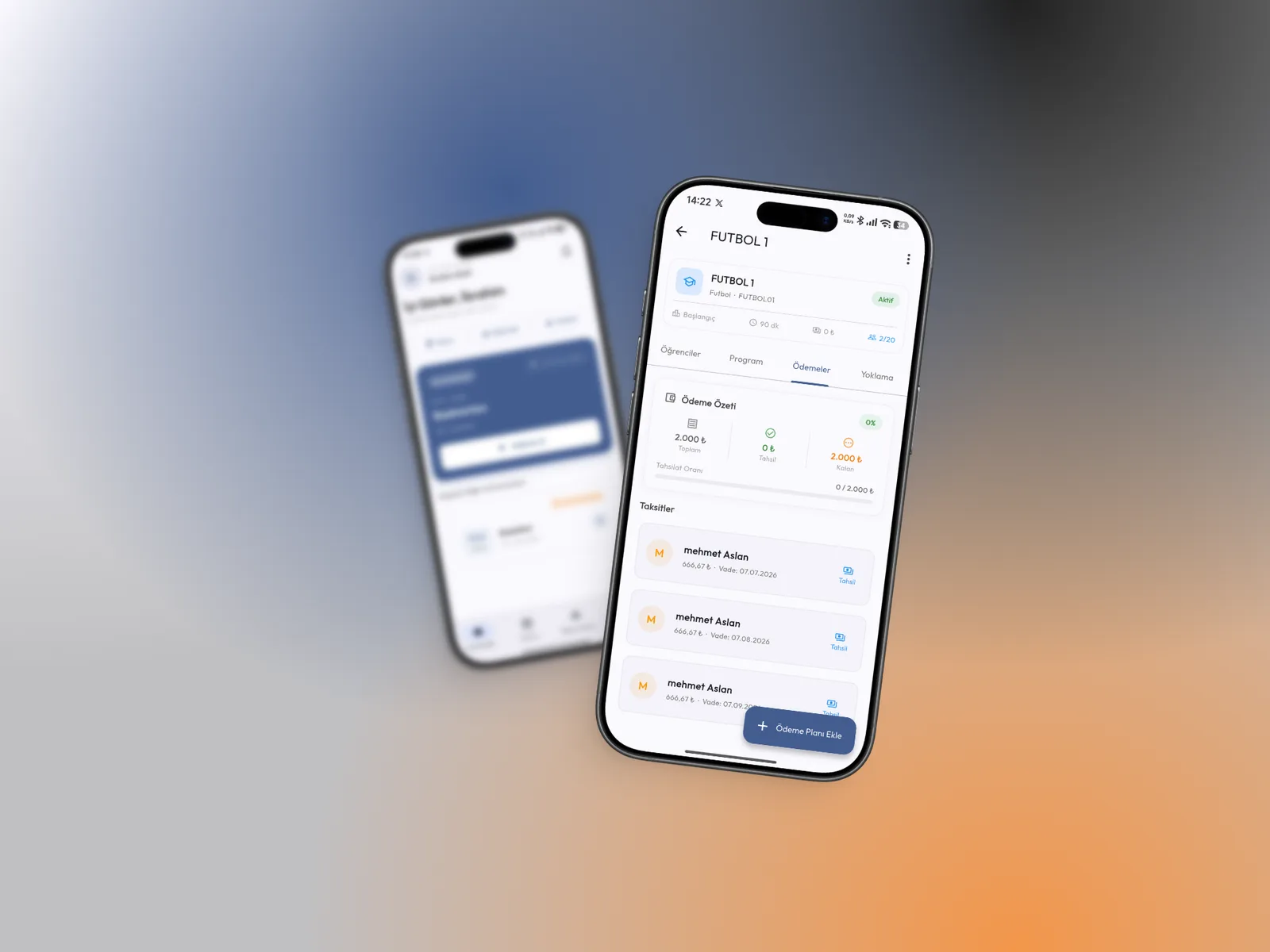
A course record gathers the branch, course code, session length, capacity and active status under one heading, with the filled portion of the capacity shown right beneath it.
The tabs on that same record split the work into four faces: enrolled students, the weekly schedule, payments and attendance. Opening a course answers all four questions in one place.
- Branch, course code, duration and capacity on one line
- Students · Schedule · Payments · Attendance tabs
- Active and inactive courses kept apart
Student & Parent
The student record holds the money with it
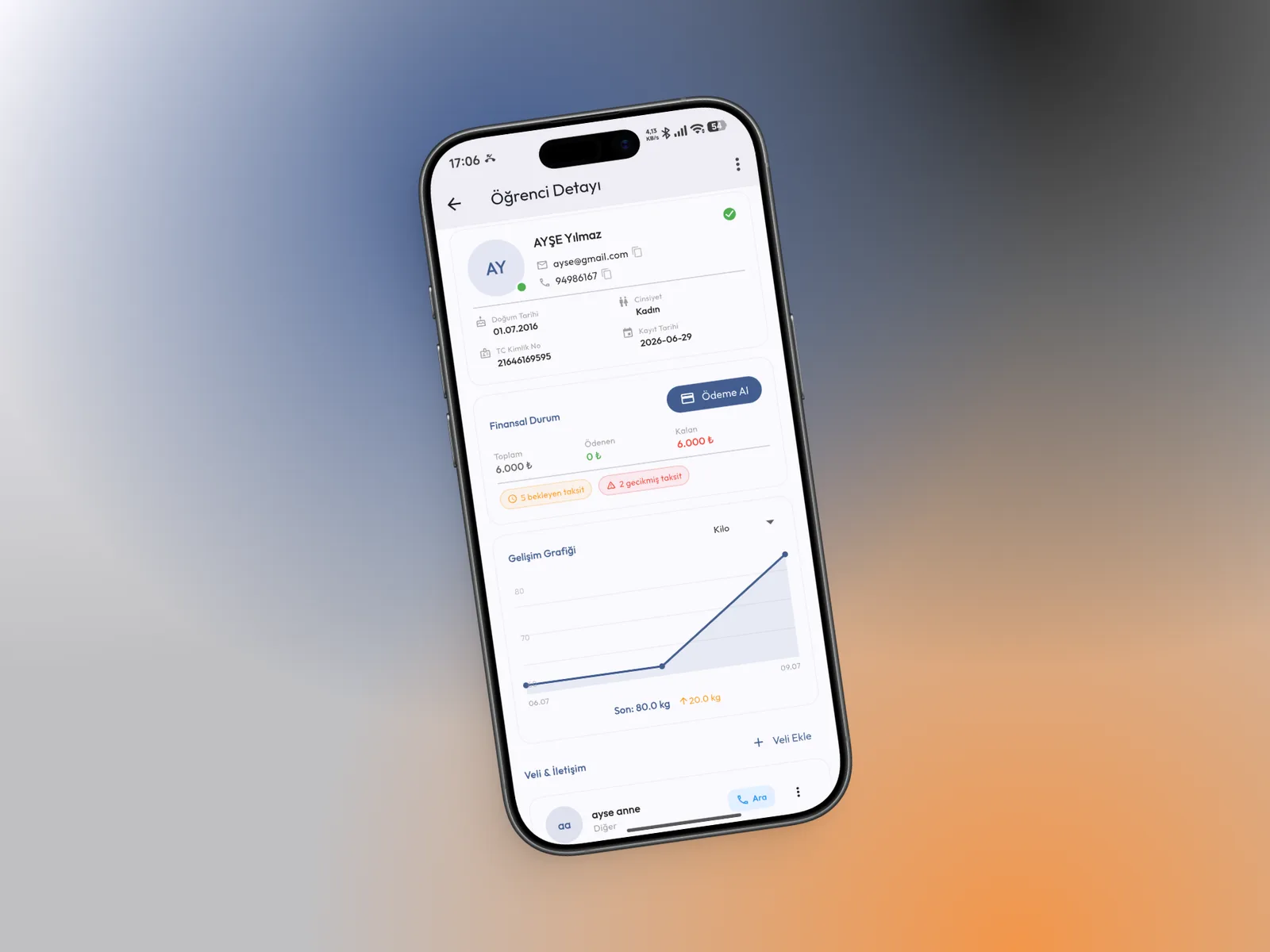
The student card stacks personal details, financial status and progress measurements. Alongside the total, paid and outstanding amounts, the number of pending and overdue instalments appears as a badge.
Parent details sit at the bottom of the same card and calling takes one tap. Whoever needs to have the payment conversation sees the number to call the moment they open the student.
- Total, paid and outstanding at a glance
- Pending and overdue instalment badges
- Parent contact with one-tap calling
Collection Tracking
The club’s finances come down to three numbers
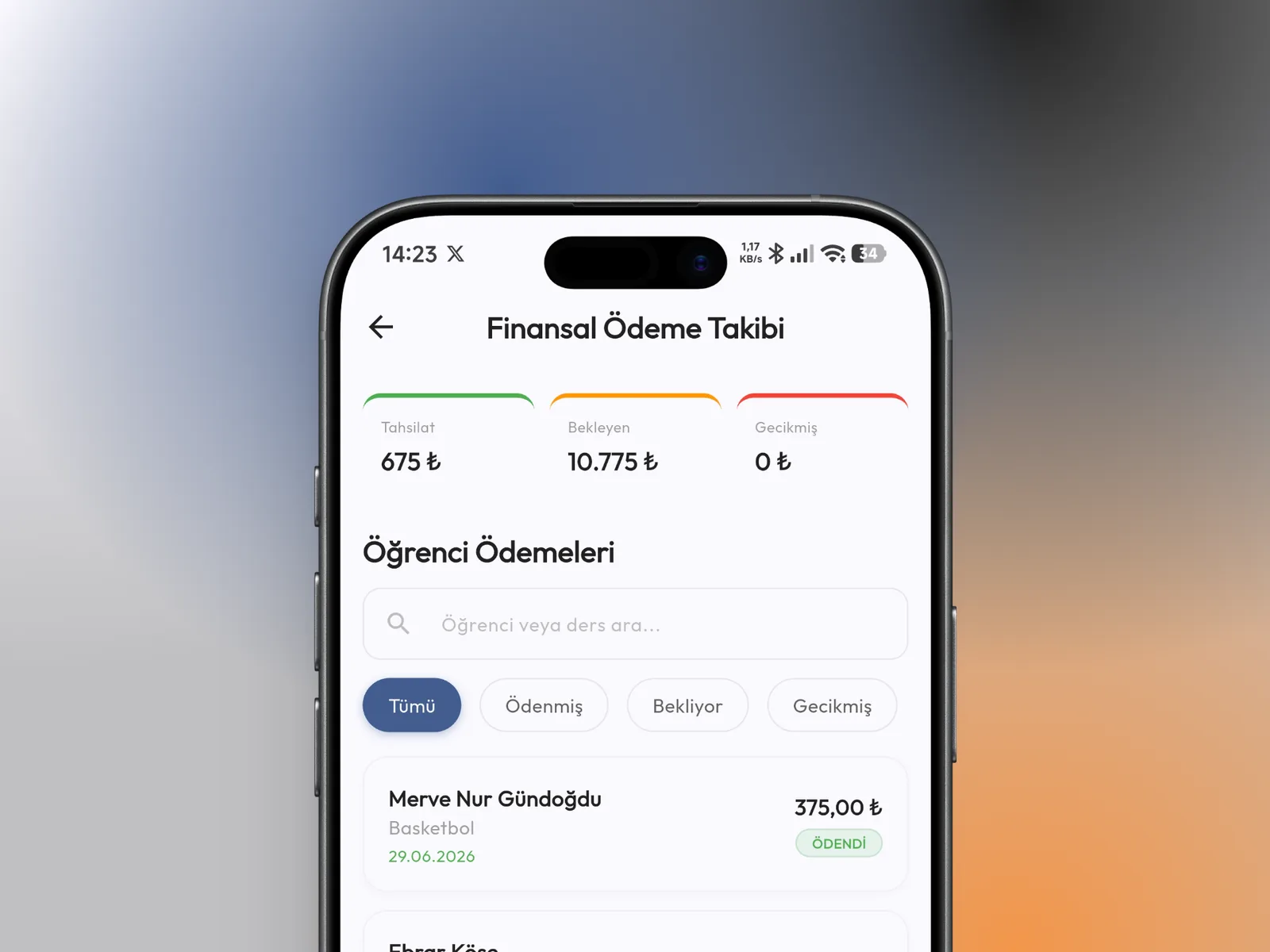
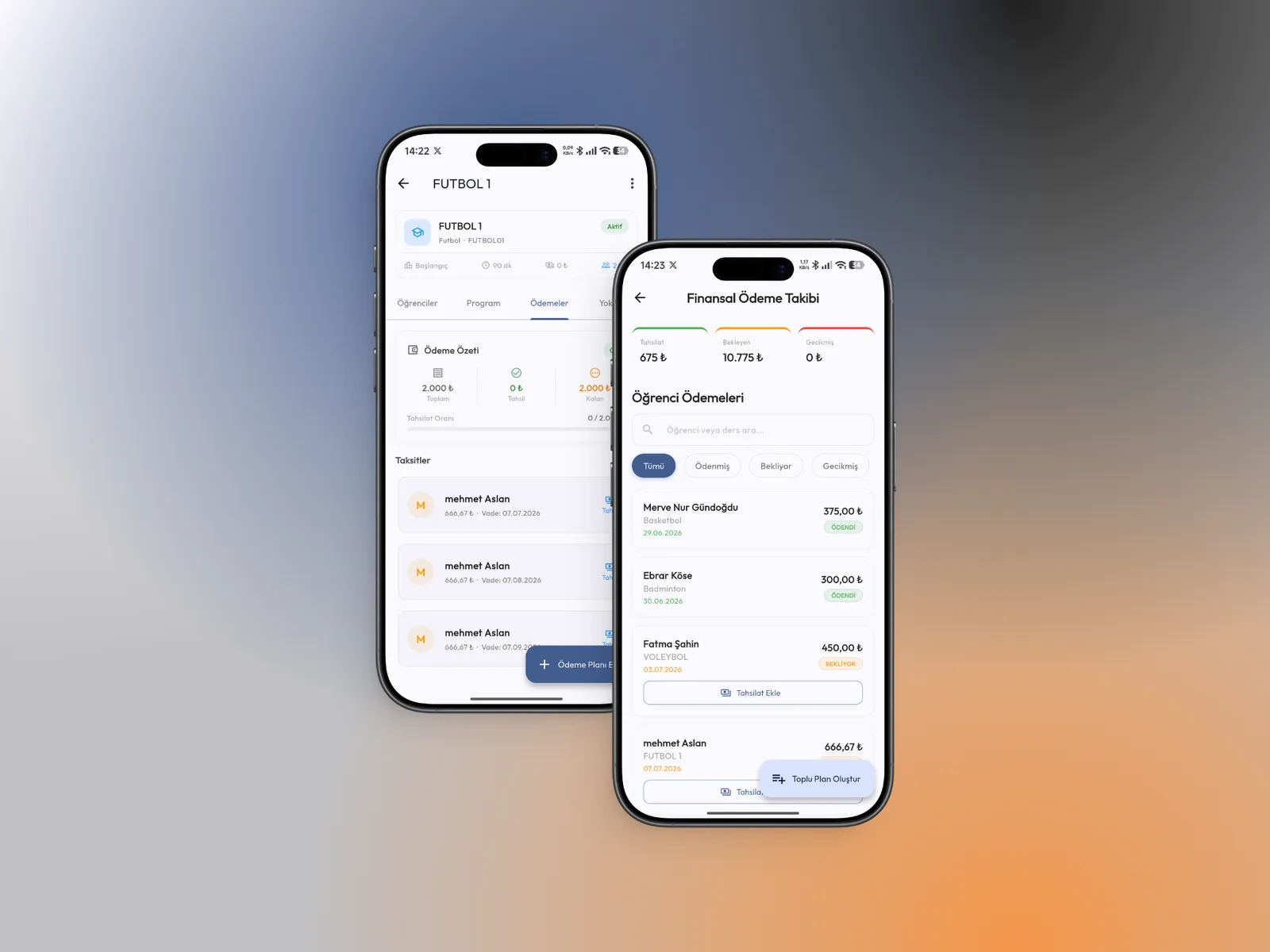
The financial screen puts collected, pending and overdue amounts side by side at the top, so the manager answers “where are we this month” without scrolling.
The list below filters student payments by status — paid, pending, overdue — and a collection is recorded on the row itself, without leaving the list.
- Collected, pending and overdue totals
- Student payments filtered by status
- Recording a collection from the row
Payment Plans
A fee is not an amount — it is a schedule
A course fee is split into instalments, each tied to a student, an amount and a due date. The course payment summary shows the total, the collected and outstanding amounts, and the collection rate.
Rather than building the same plan one student at a time, it can be created in bulk for a whole course. A new term means setting the plan up once and letting the tracking follow.
- Instalment, amount and due date together
- Collection rate per course
- Bulk payment plans for a whole course